
It's all about MULTISIM :)
-Today's class start on 8:00 a.m. Why? (,'') --> Electronics subject, answer me!-
According to En. Redzuan, this week class will be held at Electronic Workshop. I am really excited when came to this workshop for this morning. There are many computers there, which I cannot sure; why in this workshop will have many computers. However, I expect to see some picture of electronics components with their functions; like diode, transistor, capacitor and etc. But it is not bad with '5S rules' and 'What You Have to do when getting electric shock' explanation on the whiteboard . Some of these all rules makes me be really careful for anything might be happen in the workshop.
OK, that's all about Electronic Workshop that I can tell and feel the environment. Now, let's get started with En. Redzuan's class. Today, we are going to run Multisim software. MULTISIM? (,'') What kind of that software? Such a weird name. But we all are really lucky having En. Redzuan to brief some of the usage of this Multisim. He started with the introduction to Multisim. Actually this software is under National Instruments Corporation. You can refer this website in order to know more about NI.. http://en.wikipedia.org/wiki/National_Instruments .. --> Ask Mr. Wiki XD! After that, we started to search for some skills in Schematic Capture. This included 1. Opening and saving files. As you have been familiar with Microsoft's software such as Powerpoint, Word or Excel, you can use your experience using them to the same way as you open or save files in this software. There's no difference. Plus, you also can choose to save your project first or after your project done. But watch out for some PC, there will be some trouble in order to save your project. En. Redzuan had told us the software always get 'hang' and you cannot save your project if that problem arise. (Thank Allah, my PC really kind on me for this time :) ). 2.Placing the component. After all have been done about open and save files, we are going to place some electronics components with the given diagram. Oh, I almost forget. Once we enter the class this morning. En. Redzuan had spread one worksheet, that is WORKSHOP 2. There are two diagrams available there, but we only have to do the one without IC 555. The components that involves in this diagram is LED, transistor P-N-P and N-P-N, capacitors and also resistors. There also one buzzer involve, but we just ignore it as on request from En. Redzuan. (I also don't know whether the buzzer will works or not).
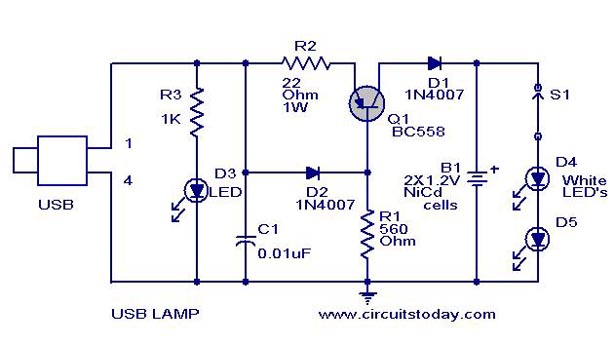 |
Example of electronic circuits. |
That diagram just an example of what we had done this morning. There is a problem arise in order to get a real one picture. (Just use what I have :) ). The next is, 3. Wiring the circuit. In order to make sure the circuit functions well, we have to connect all the components in order to make it be a complete circuit. En. Redzuan had reminded us to be careful when we are going to connect from one component to another component. If you are unable to build correct connection, you will face some problem in stimulation step.
( My circuit works well with blinking LED :) . After we done the first three steps, we have to test our circuit whether it is functions or not. This is the last step, that is 4. Analysis. In this step, you have to make sure your component is connected correctly. You will see the result when the LED 'blinking' once you click 'run' on Stimulate options.
That's all about MULTISIM today :) I am really happy to get know on it. This software is about to train me to be a skillful and patient people. (Nice, isn't it? XD). I know it's not simple to use this software, but as a saying goes, 'Practice makes perfect' :) Just keep training and I'm sure I can do more connection on circuit diagram for the next workshop! (Insya Allah :D)
Before I leave this blog, I am glad to insert some of electronics component that have been use for our lesson :)
.jpg/170px-Transistorer_(croped).jpg) |
| Transistors |
 |
| Resistors |
 |
| Diode |
 |
| Switch SPST type |
 |
| Power supply 9V |
 |
| Capacitors |
*Hard work will definitely pay off*
-Kawato Koichi-
Thanks a lot to Dr. Kamal and En. Redzuan =)

No comments:
Post a Comment